
Online fraud is big business: account takeovers, chargebacks, scams, even romance scams. It costs businesses billions of dollars every year.
A common way websites fight it is to use an anti-fraud service to calculate the risk of a transaction. Most teams get this intelligence from a third-party service, either through an API or a plugin.
For online stores, ecommerce fraud prevention has to protect checkout and account flows without punishing real customers.
One of the major signals these services use is IP reputation. IP reputation tries to answer questions like:
- Is the order coming from a datacentre?
- Is it coming from a country other than your target audience?
- Is the IP address a known VPN?
- Is it a known TOR exit node?
- Have lots of fraudulent orders come from this IP address in the past?
Until recently, these services gave teams a useful way to calculate fraud risk from an IP address.
Not anymore.
Fraud traffic has shifted in recent years, away from VPNs and TOR and toward residential proxies. These same anti-fraud services claim they can detect residential proxies, but what if the services many businesses rely on are falling well short?
The results are bad enough that they deserve a blunt look.
The Shocking Truth: Our Results
We took 25 IP addresses that had just been used as residential proxies in an attack on one of our clients, and within 5 minutes of detection ran them through some of the most popular IP intelligence services. The results are not going into anyone's marketing deck.
Here's a summary of our findings:
| Service | Detected Proxies | Accuracy |
|---|---|---|
| Maxmind | 0/25 | 0% |
| IP Quality Score | 6/25 | 24% |
| Seon | 1/25 | 4% |
| ProxyCheck.io | 0/25 | 0% |
| ip2proxy | 1/25 | 4% |
The best performer in our test, IP Quality Score, detected only 24% of the proxies. The others ranged from 0% to 4%.
Why Your Residential Proxy Detection Service is Failing You
So why are these services performing so poorly? To understand it, we need to look at how proxy usage and detection have changed.
The Good Old Days of Proxy Detection
In the recent past, detecting proxies was much easier. Fraudsters primarily used:
- TOR networks
- VPN services
- Data center proxies
These were relatively static targets. They were tied to a single, stationary IP, or IP ranges. Listing them in IP block lists was straightforward.
The Rise of Residential Proxies: A New Breed of Threat
Now we need to talk about residential proxies, the new go-to tool of fraudsters and scammers. These are not just a new label for old proxies. They behave differently.
What Are Residential Proxies?
Residential proxies come from IP addresses assigned to real residential services by Internet Service Providers (ISPs). These can be:
- Home computers
- Mobile phones
- Tablets
- IoT devices
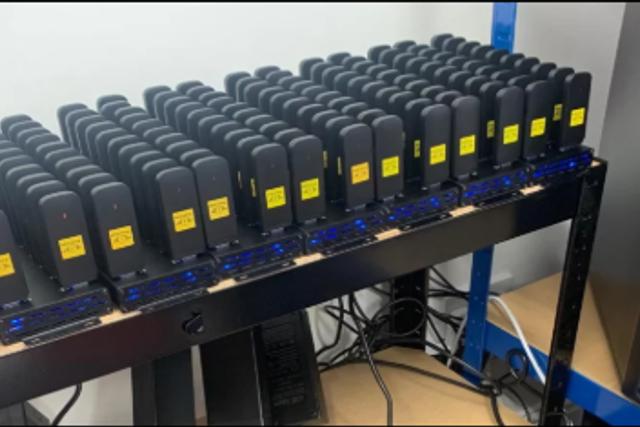
Unlike data center proxies, which use IP addresses from hosting companies, residential proxies use IPs that look just like any other home or mobile user. They have become the tool for avoiding security controls on websites in the last 2-3 years, and they are causing all sorts of headaches for website owners.
How Are Residential Proxy Networks Formed?
This is where the problem starts:
-
Compromised Devices: Malware can turn innocent devices into proxy endpoints without the owner's knowledge.
-
Incentivised Programs: Some companies offer users benefits (like free VPN services) in exchange for using their device as a proxy endpoint. Hola VPN and Brightdata are prominent examples.
-
APP SDKs Quite often, proxy providers will incentivise app developers to include their proxy toolkit in their apps. The user is totally unaware that their device's internet connection is now being resold.
So your personal device, be it a computer or phone, could have its internet connection used to carry out a crime without you knowing. The police could come knocking on YOUR door one day.
Why Are They So Dynamic?
Since the proxy is formed by reusing the internet connection of a device, it is inherently much more dynamic than a proxy formed on a server.
-
Device Mobility: A mobile phone can connect from home Wi-Fi, then a coffee shop, then a cellular network – all in one day.
-
ISP IP Rotation: Many ISPs dynamically assign IP addresses, changing them periodically.
Depending on the type of fraud being carried out, the attacker might also rotate the device being used, popping out of a different location. Also, due to the way these proxies are formed, i.e. via an app on a computer or phone, that particular exit point on the proxy network might depend on that app being open.
This dynamic nature is what makes residential proxies so hard to detect using traditional methods.
Shared IPs: The Needle in the Haystack Problem
Residential proxy IPs are not just dynamic. They are typically shared. This means that a single IP address could be used by both legitimate users and proxy traffic:
-
ISP IP Pools: Internet Service Providers often use large pools of IPs that are dynamically assigned to users. This means that an IP used by a proxy one minute could be assigned to your grandmother's iPad the next.
-
Carrier-Grade NAT (CGN): Mobile carriers frequently use CGN, which can make hundreds or thousands of users appear to come from the same IP address.
-
Compromised Routers: A single compromised home router could serve both the legitimate traffic of the homeowner and proxy traffic from the attacker.
If you simply blocked any IP that shows proxy behavior, you would end up blocking legitimate users too.
Why Traditional Methods Are Failing (Revisited)
Now that we understand residential proxies better, let's revisit why old-school detection methods are not enough.
1. Port Scanning
Traditional proxy detection often relies on scanning for open proxy ports. Here's a simple port scanner:
import socket

def port_scan(ip, port):
    sock = socket.socket(socket.AF_INET, socket.SOCK_STREAM)
    result = sock.connect_ex((ip, port))
    sock.close()
    return result == 0

# Example usage
ip = "123.45.67.89"
proxy_ports = [80, 8080, 3128]  # Common proxy ports

for port in proxy_ports:
    if port_scan(ip, port):
        print(f"Port {port} is open - potential proxy detected")
Why it fails: Residential proxies don't typically have these ports open. They route traffic through standard web ports, making them indistinguishable from normal traffic.
2. Honeypots
Honeypots try to lure and identify proxy traffic.
Why it fails: Sophisticated residential proxy networks can identify and avoid known honeypots. Plus, since they're using real residential IPs, even if they do hit a honeypot, the IP itself isn't a reliable indicator of proxy usage.
3. Client-Side Detection
Detection services may also try to detect proxies by executing Javascript in the browser and checking the result for inconsistencies. These are the common techniques.
3.1 WebRTC Leak
WebRTC can sometimes reveal a user's true IP address:
function detectRealIP(callback) {
    var RTCPeerConnection = window.RTCPeerConnection || window.mozRTCPeerConnection || window.webkitRTCPeerConnection;
    var pc = new RTCPeerConnection({iceServers:[]}), noop = function(){};
    pc.createDataChannel("");
    pc.createOffer(pc.setLocalDescription.bind(pc), noop);
    pc.onicecandidate = function(ice) {
        if(!ice || !ice.candidate || !ice.candidate.candidate) return;
        var myIP = /([0-9]{1,3}(\.[0-9]{1,3}){3}|[a-f0-9]{1,4}(:[a-f0-9]{1,4}){7})/.exec(ice.candidate.candidate)[1];
        pc.onicecandidate = noop;
        callback(myIP);
    };
}

detectRealIP(function(ip) {
    console.log("Your real IP address is: " + ip);
});
3.2 Geolocation Inconsistencies
Comparing IP-based geolocation with browser-reported location.
navigator.geolocation.getCurrentPosition((position) => {
  const browserLat = position.coords.latitude;
  const browserLong = position.coords.longitude;
  // Compare with IP-based geolocation from server
});
3.3 DNS Leaks
Check whether DNS requests are routed through the proxy or are leaking:
const image = new Image();
const uniqueDomain = `test-${Date.now()}.example.com`;
image.src = `http://${uniqueDomain}/pixel.gif`;
// Monitor DNS requests server-side to detect leaks
3.4 Browser Fingerprinting
Check whether there are inconsistencies with the browser, e.g. timezone, and the geolocation of the IP address
const fingerprint = {
userAgent: navigator.userAgent,
screenResolution: `${screen.width}x${screen.height}`,
colorDepth: screen.colorDepth,
timezone: Intl.DateTimeFormat().resolvedOptions().timeZone,
plugins: Array.from(navigator.plugins).map(p => p.name),
// ... other characteristics
};
// Analyze fingerprint for proxy indicators
Why these techniques fail
Proxy services can work around all of these methods. Many browsers now allow users to disable WebRTC or use extensions that prevent this leak. Some residential proxy services are sophisticated enough to handle WebRTC requests without leaking the real IP.
Finally, relying on client-side detection means: * Your detection can be reverse engineered and bypassed. * You've already served the content the attacker wants. * It requires Javascript execution, something that won't always be available, for instance on an API.
4. Threat Intelligence
Threat intelligence involves maintaining databases of known proxy IP addresses:
import requests

def check_ip_threat_intel(ip):
    api_key = "your_api_key_here"
    url = f"https://api.threatintelligence.com/v1/ip/{ip}?key={api_key}"
    response = requests.get(url)
    if response.status_code == 200:
        data = response.json()
        return data.get('is_proxy', False)
    return False

# Example usage
ip = "123.45.67.89"
if check_ip_threat_intel(ip):
    print(f"{ip} is a known proxy according to threat intelligence")
Why it fails: As our results show, threat intelligence databases are struggling to keep up with the dynamic nature of residential proxies. By the time an IP is identified and added to a database, it may no longer be in use as a proxy.
Why IP-Based Blocking Is No Longer Enough
Given the shared nature of IPs in the age of residential proxies, simply identifying and blocking "bad" IPs is too blunt. Here's why:
- False Positives: Blocking an IP used by a proxy might also block legitimate users sharing that IP.
- Ineffectiveness: Proxies can quickly switch to new IPs, so IP-based blocking turns into a chase.
- Collateral Damage: You might end up blocking entire ISPs or mobile carriers, cutting off large swaths of legitimate users.
The practical failure is customer friction. A checkout, login, or account recovery flow cannot treat every residential or mobile network as hostile. Teams need enough request context to choose a proportionate response: log the signal on a low-risk page, challenge a suspicious account change, rate limit repeated failures, or block only when proxy evidence lines up with stronger abuse indicators.
The same problem shows up on APIs and partner integrations. A partner batch job, mobile carrier, or shared office network can look noisy without being hostile. A compromised key can look legitimate until it starts hitting expensive routes. Good review paths keep the route, account or API key, request rate, fingerprint, and recent outcomes together so the answer is not just "block the IP" or "allow everything."
This is where proxy detection stops being a lookup problem and becomes an operating problem. The team needs to know which route was hit, what account or session was involved, whether the request matched normal behaviour, and what the enforcement cost would be if the signal was wrong. That is the difference between reducing abuse and quietly pushing good customers into support. For a deeper treatment of that tradeoff, see the guide to customer friction and false-positive measurement.
The Need for Connection-Level Detection
Instead of focusing only on IPs, we need to look at the connections themselves. Here's what this means:
- Deep packet inspection: Analyses traffic patterns and characteristics beyond surface-level indicators.
- Protocol behaviour analysis: Identifies subtle anomalies in how network protocols are implemented across the proxy chain.
- TLS/TCP fingerprinting: Examines characteristics of TLS handshakes to detect proxy usage.
- Timing analysis: Measures minute differences in network latency that can indicate the presence of a proxy.
Final Thoughts
Proxy usage has evolved, and detection methods need to keep up. Simple IP-based blocking and static lists of "bad" addresses are no longer enough. They still have a place, but they cannot be the whole answer.
Modern residential proxy detection has to evaluate the live request: IP context, connection behaviour, fingerprints, route, account state, request rate, and recent outcomes. On a low-risk page that may only justify logging. On login, signup, checkout, password reset, API key creation, or account recovery, the same signal may justify a challenge, hold, rate limit, or block.
Peakhour's residential proxy detection is built for that request-path decision. The point is not to label every residential IP as bad. The point is to give operators enough evidence to act when proxy use lines up with account abuse, fraud, scraping, or automated traffic.
If you're still treating IP reputation as the main answer, you're already behind. It's time to stop blocking IPs and start understanding the request.
Want a demo of our residential proxy detection? Contact us for a live demo of our service.